
Instantly Webhook Integration
In this guide, you'll learn how to connect Instantly.ai to Master Inbox using Webhooks so campaign events and prospect replies sync in real time.
In addition to API integration, you can also connect Instantly.ai using Webhooks to receive real-time event updates.
1. Copy the Webhook URL from MasterInbox
In MasterInbox, open the Instantly.ai Integration.
Copy the provided Webhook URL.
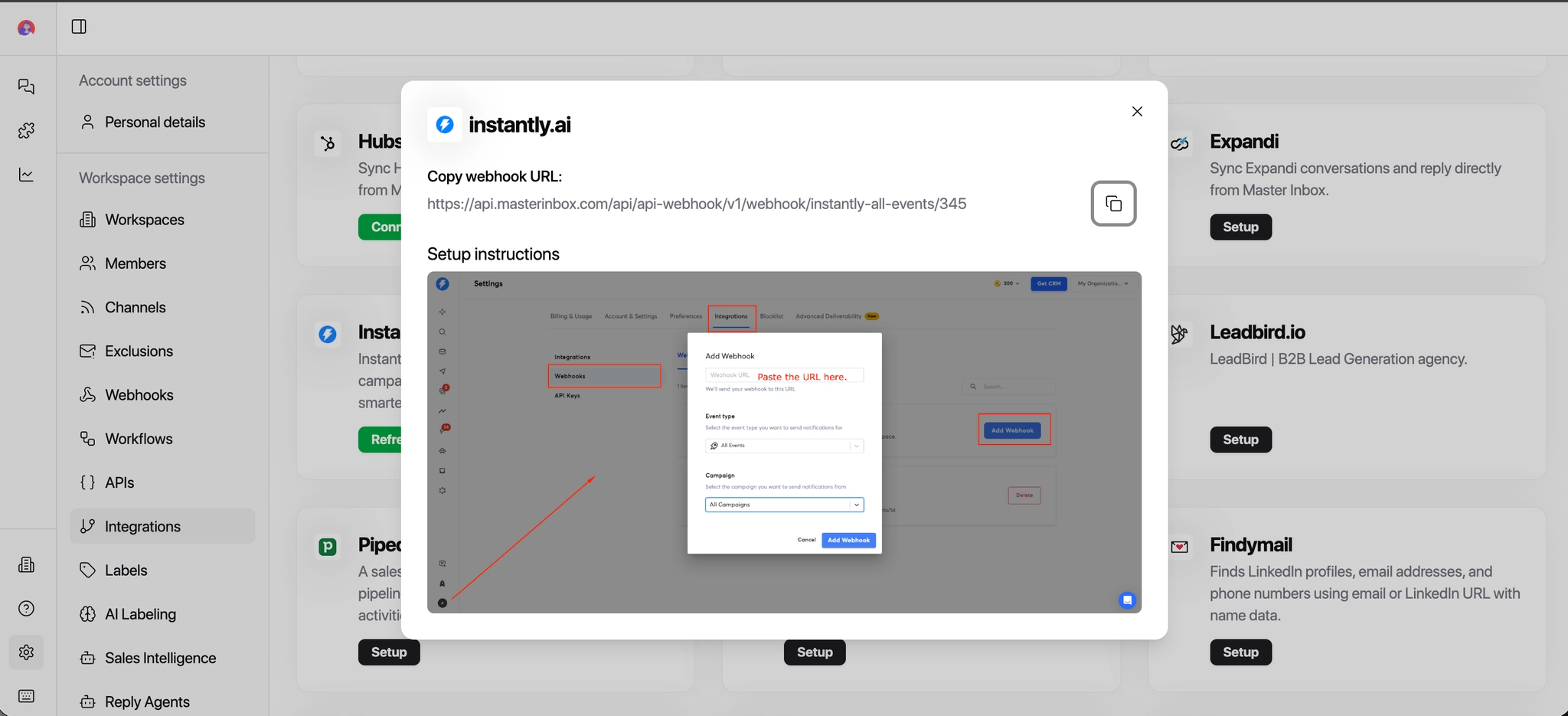
2. Open Webhook Settings in Instantly.ai
Log in to your Instantly.ai account.
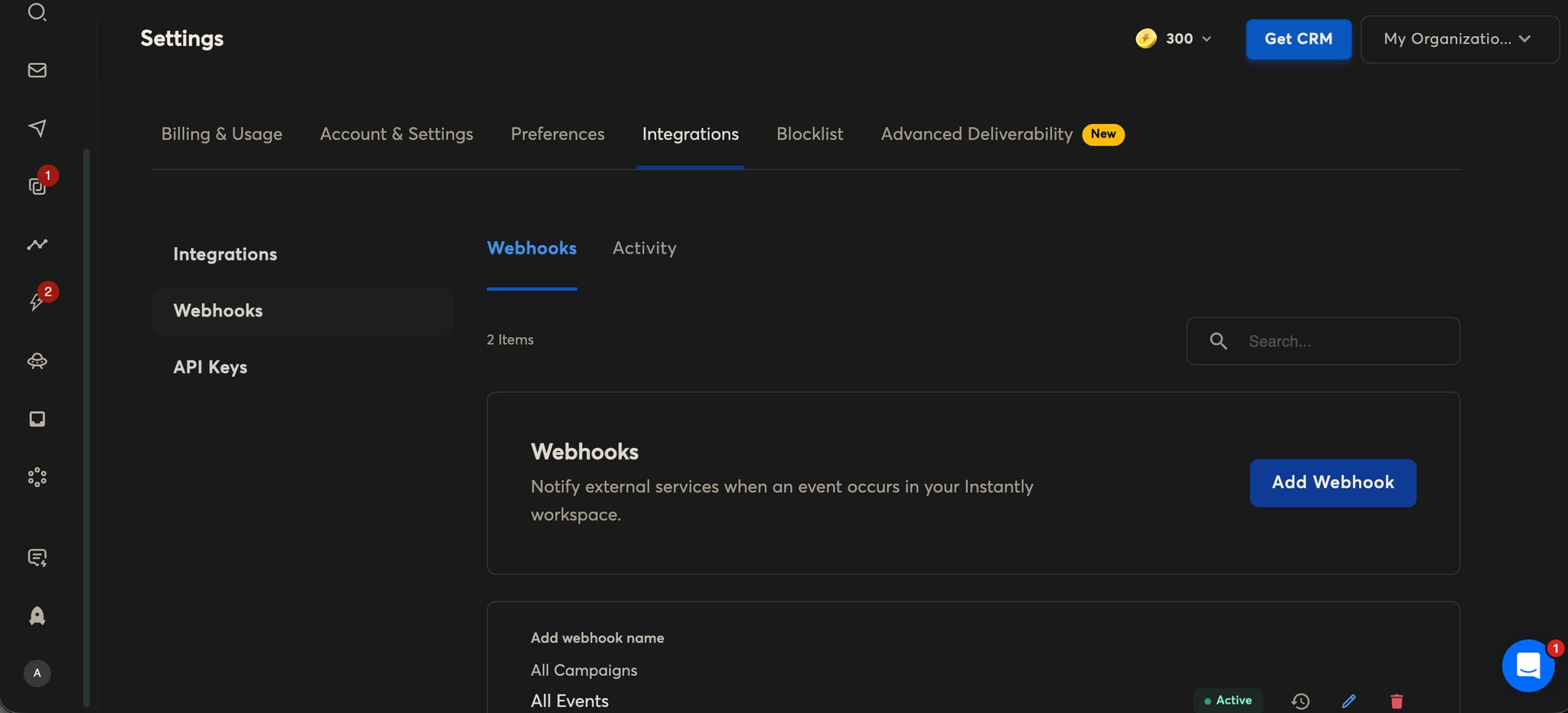
Go to Settings.
Click on Webhooks.
Click Add New Webhook.
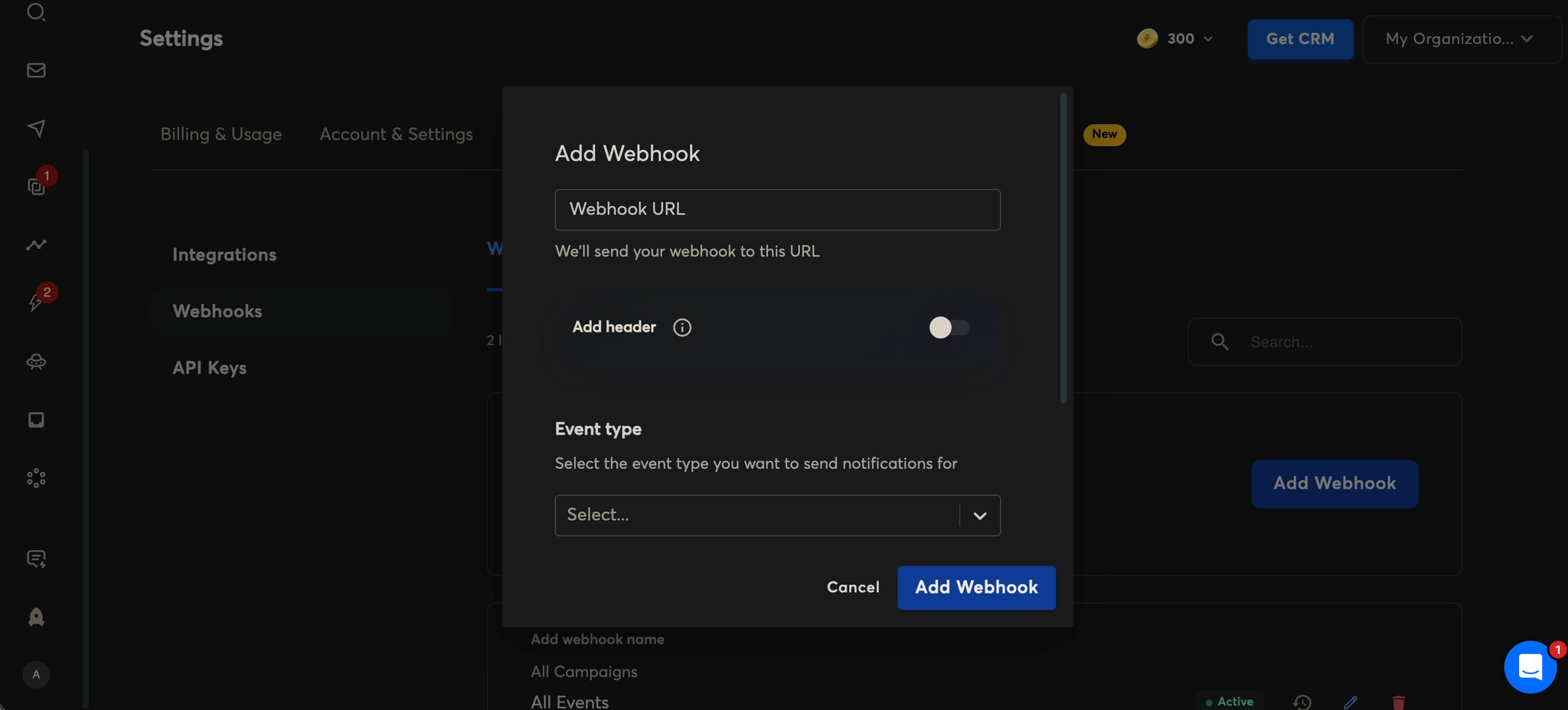
3. Add Webhook Details
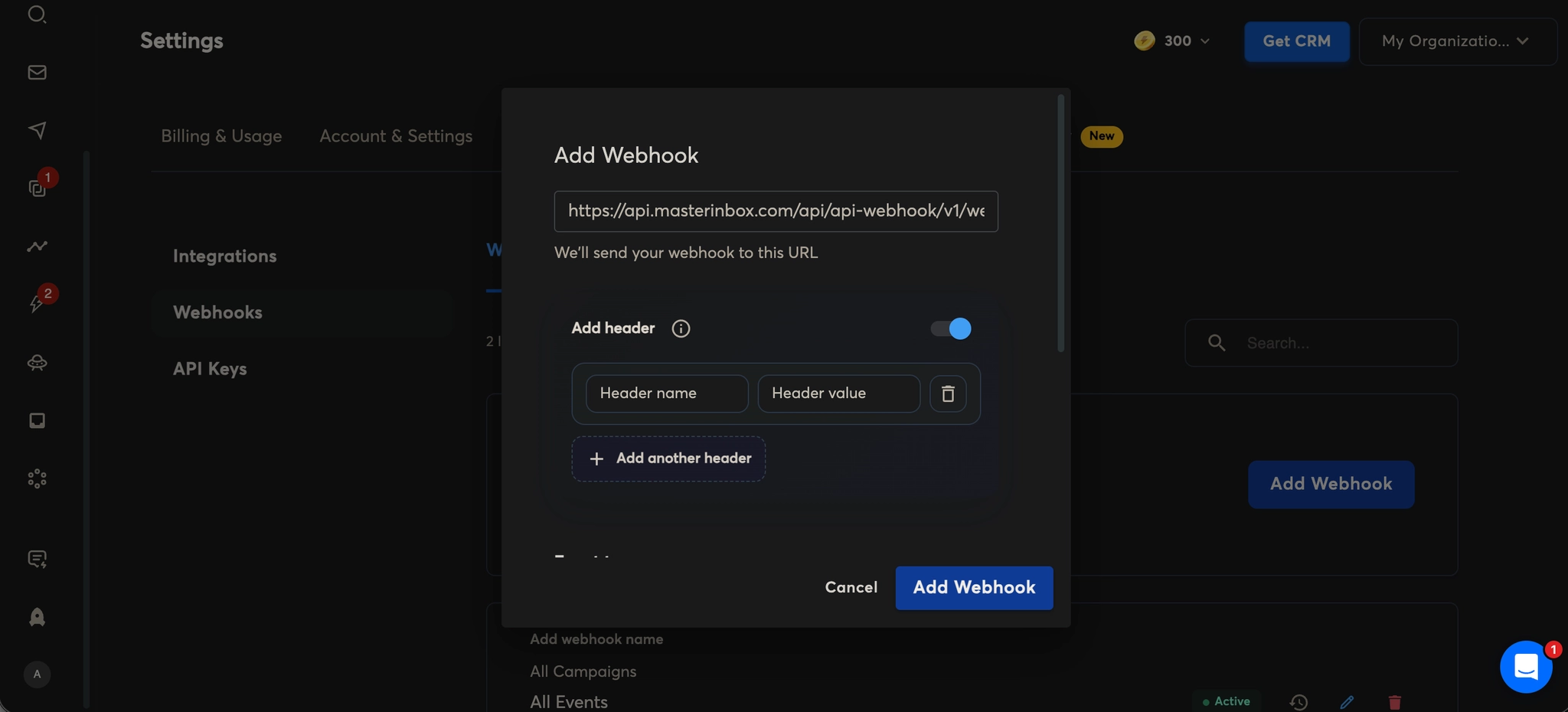
Webhook URL: Paste the webhook URL you copied from MasterInbox.
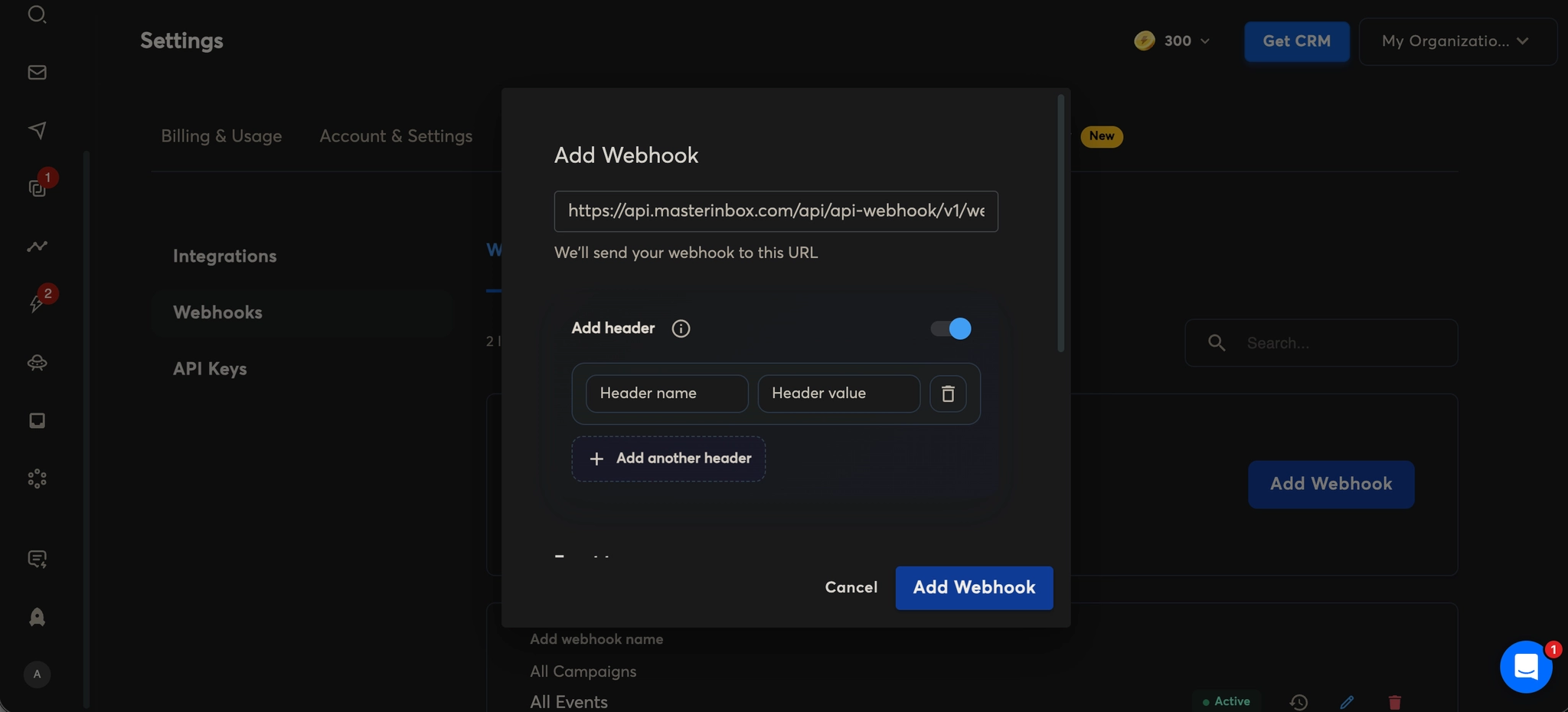
Add Header (Optional)
Toggle Add Header if required.
What this means:
Headers are used to send additional information with the webhook request (such as authentication tokens or verification keys).
If enabled, Instantly.ai will include extra metadata with each event sent to MasterInbox.
Leave this OFF unless specifically required for security or validation.
4. Select Event Types
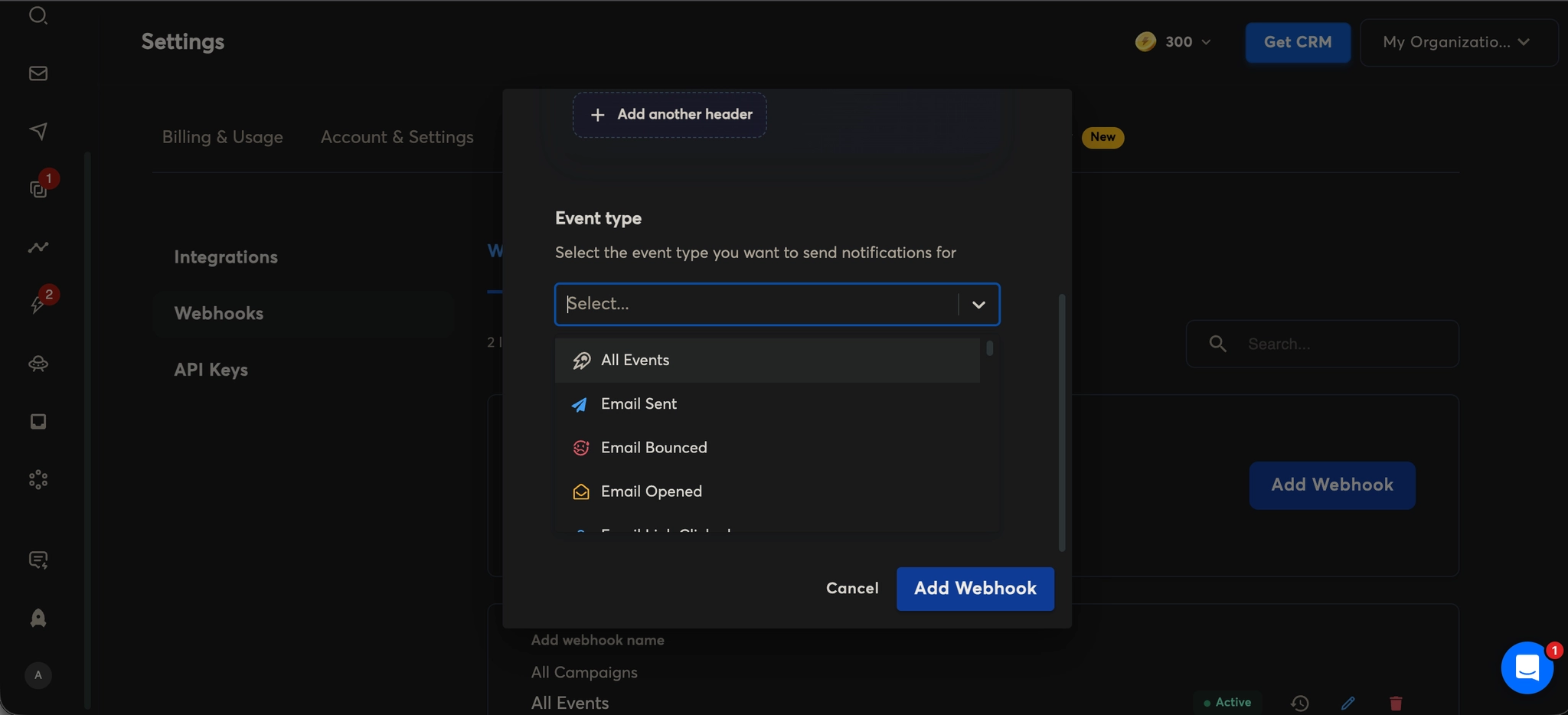
Choose the event types you want Instantly.ai to send to MasterInbox. You can select one or multiple events, such as:
All Events
Emails Sent
Emails Bounced
Email Opened
Email Link Clicked
Reply Received
Campaign Completed
Email Account Error
(and other available events)
These events allow MasterInbox to track prospect activity and campaign performance in real time, so no replies or critical actions are missed.
5. Select Campaign
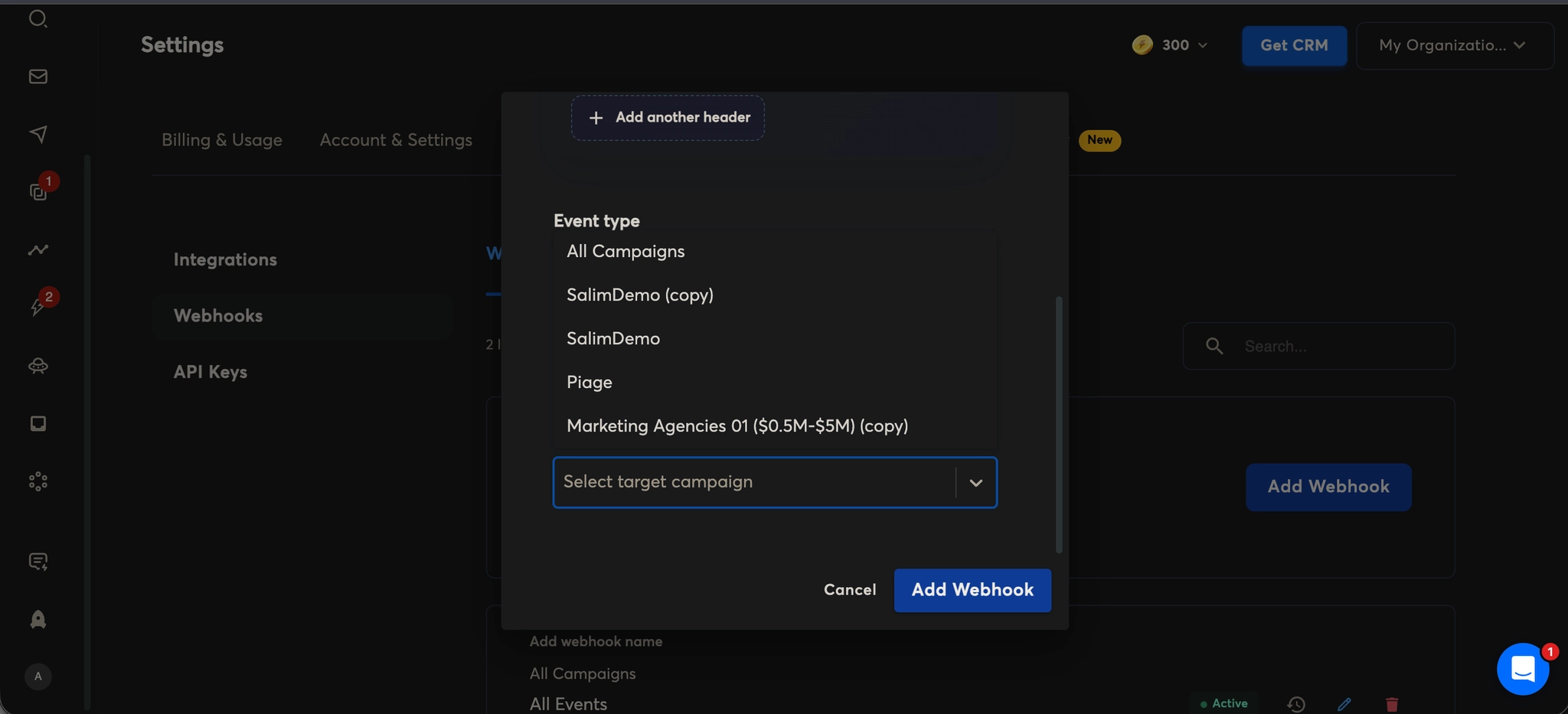
Choose the campaign(s) you want to trigger webhook events for.
This helps limit webhook data to only relevant campaigns instead of sending events for all campaigns.
6. Add Webhook
Click Add Webhook to save your configuration.
Instantly.ai will now send real-time campaign and prospect events to MasterInbox via webhook, ensuring replies, opens, and important updates are instantly visible in your unified inbox.
Instantly.ai will now send real-time campaign and prospect events directly to Master Inbox. Replies, opens, and critical updates will appear in your unified inbox the moment they happen — no manual checking needed.